
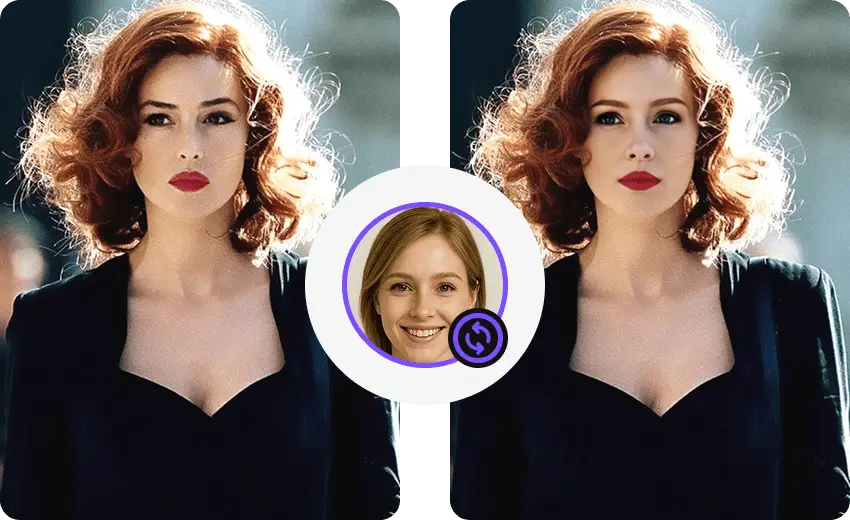
Photo face swap
Replace the face in a single photo. The core process runs on your phone.
Photo face swapPRIVATE AI CREATION, ON YOUR ANDROID
Create convincing photo and video face swaps with your own media or ready-to-use templates. Blence runs the core face-swap process on your phone, so your creativity stays close to you.
Create with consent · No watermark on finished swaps
ONE APP, MORE WAYS TO CREATE
Start with a photo, a clip, a group shot, or a template. Blence brings the essential face-swap workflows into one focused Android experience.
Replace the face in a single photo. The core process runs on your phone.
Photo face swap


BUILT FOR THE RESULT
Blence uses face detection, alignment, and blending to preserve expressions and scene lighting. Clear, front-facing source photos usually create the most natural result.


Designed around a clearer privacy boundary.
ON-DEVICE BY DESIGN
The core face-swap process runs on your Android device instead of sending your selected photos and videos to a remote generation service.
Detection, alignment, and blending happen on the device.
Selected source media is not uploaded to generate the face-swap result.
Internet is still used for templates, models, updates, accounts, payments, credits, and analytics.
FROM IDEA TO CAMERA ROLL
Pick your own photo or video, or start with a template currently available in Blence.
Use a well-lit, front-facing portrait for more stable detection and blending.
Preview the result, save it to your device, and share it with the app you choose.
CREATE RESPONSIBLY
Use only media you have permission to use. Never use Blence to deceive, harass, exploit, or create sexual deepfakes.
GOOD TO KNOW
support@blence.app
Blence is an Android face-swap app for supported photos and videos. You can use your own media or templates currently available in the app.
The core face-swap process runs on your device. Blence still uses the internet for templates, required resources, updates, accounts, payments, credits, and analytics.
Blence supports Android 7.0 and later. A device with at least 3 GB of memory is recommended for a smoother experience.
Processing time varies with device performance, media length and resolution, format, and the number of faces in the project.
Yes. Choose supported media from your device, or begin with a template currently available in the app.
Blence includes on-device face models and inference libraries in the app, so the core face-swap process can run locally after installation.
A single photo is free. Batch photos and multi-person photos cost 1 credit without PRO and are free with PRO. A single video is 1 credit per 10 seconds without PRO, or per 15 seconds with PRO. Multi-person video costs twice that rate. Partial blocks round up. Finished results have no watermark.
READY WHEN YOU ARE
Download Blence from the official website and create with your own photos, videos, and available templates.
Download

